
Task Management Portal
The RTS Task Management Portal (TMP) is the administrative backbone of your vMonitor deployment. Designed to empower site managers and administrators, TMP streamlines the management of personnel, assets, bookings, and access permissions - transforming tracking data into actionable operational intelligence.
Booking & Reservation Management
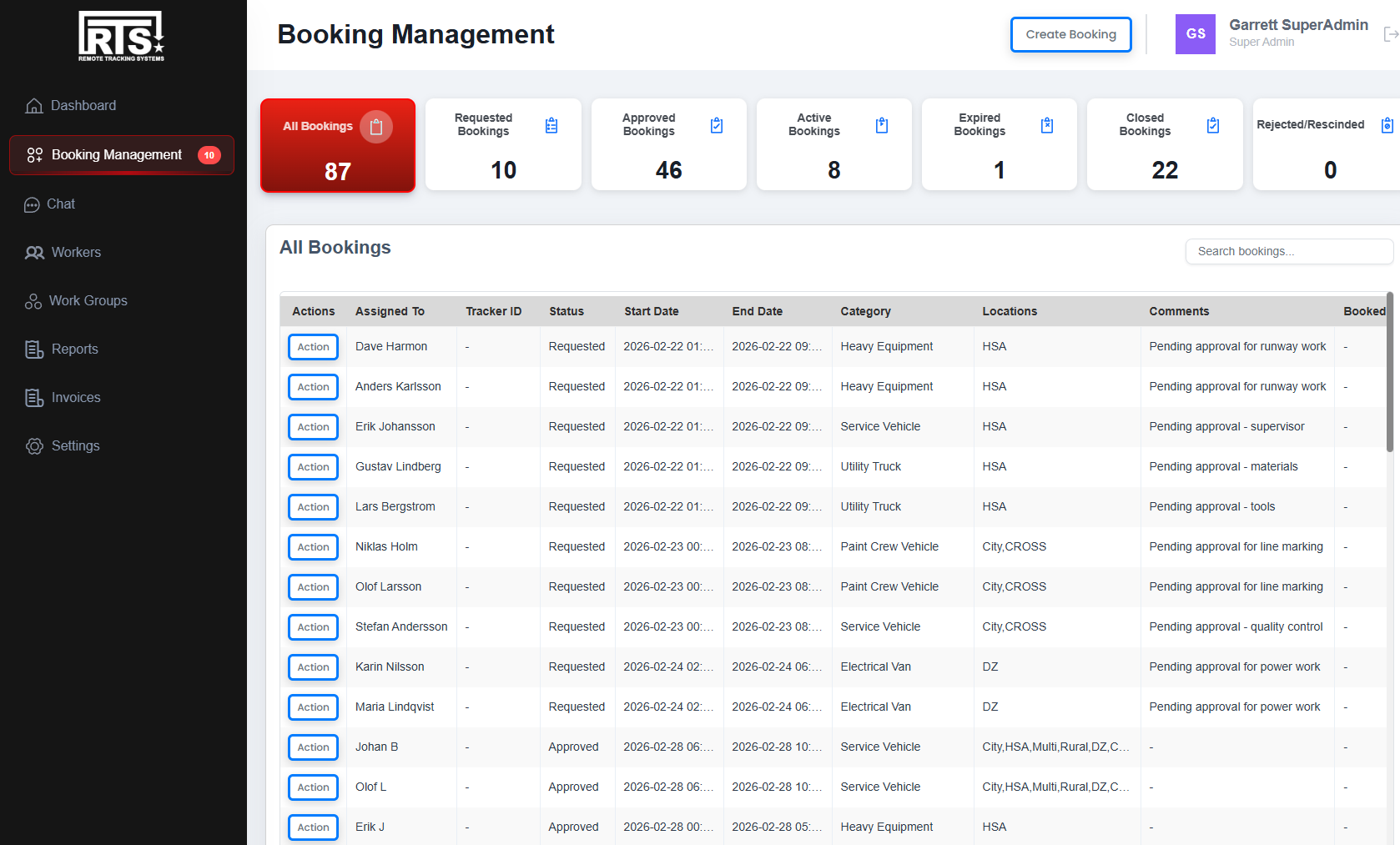
TMP provides a complete booking workflow system that integrates directly with vMonitor. From initial reservation requests through approval, activation, and closure - every booking moves through a clear, auditable process with role-based controls at each stage.
Booking Workflow
- Request submission: Workers submit track or area reservations with vehicle category, time slots, and required tracks
- Approval process: Site managers review, approve, or reject requests with optional comments
- Active monitoring: Approved bookings sync to vMonitor for real-time tracking and alerting
- Closure tracking: Manual closure with reason logging or automatic expiration with full audit trail
Calendar & Scheduling
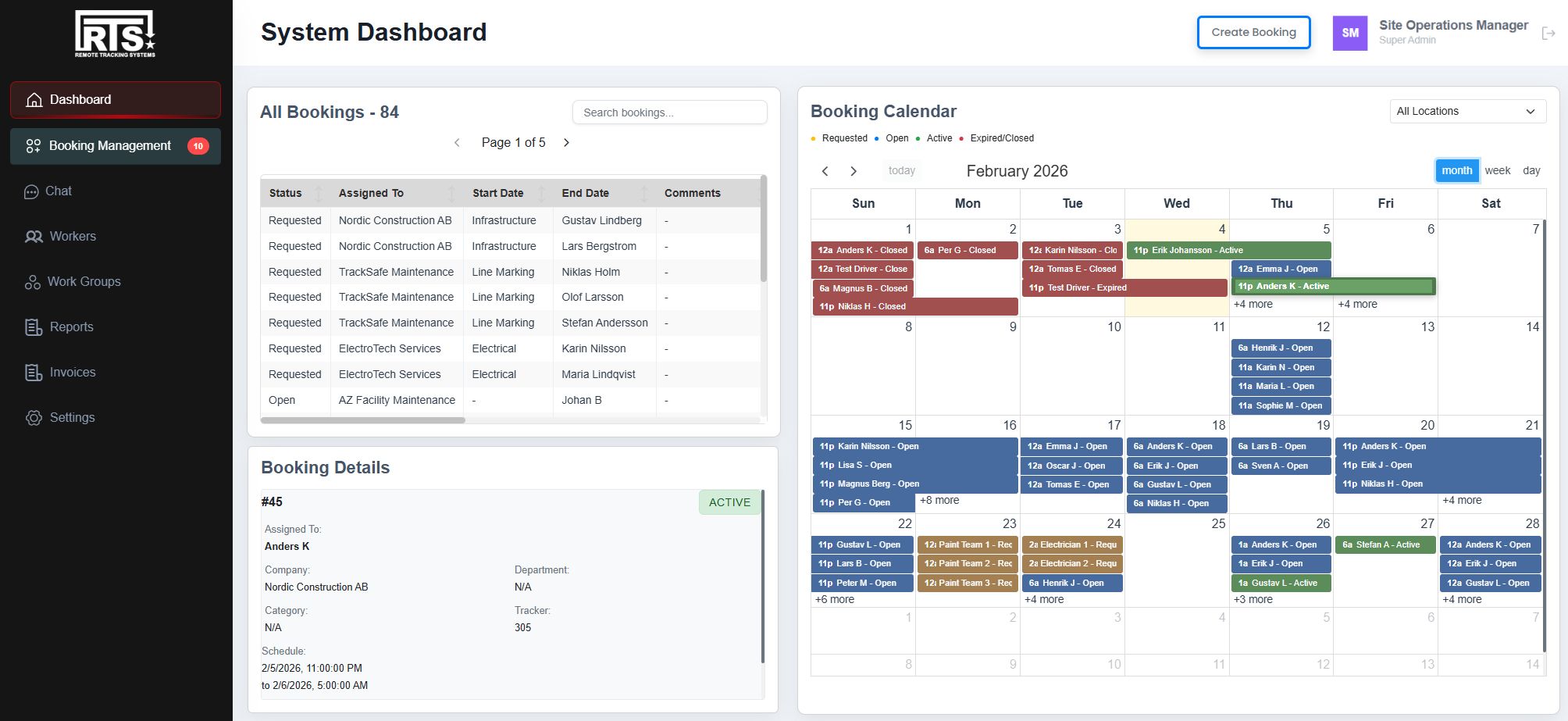
- Visual calendar: See all bookings across tracks and time periods at a glance
- Conflict detection: Automatic identification of overlapping reservations
- Batch operations: Select and process multiple bookings simultaneously
- Tab-based filtering: Quickly switch between Requested, Approved, Active, Closed, and Expired bookings
Personnel & Access Management
Manage your entire workforce through a centralized interface. Create workers, organize them into groups, assign roles, and control what each person can see and do - all with proper audit trails and role-based permissions.
Worker Management
- User profiles: Complete worker records with contact information, documents, and role assignments
- Multi-group membership: Workers can belong to multiple groups with different roles in each
- Status tracking: Active, inactive, and suspended states with login history
- Document management: Upload and manage worker certifications and credentials
Work Groups
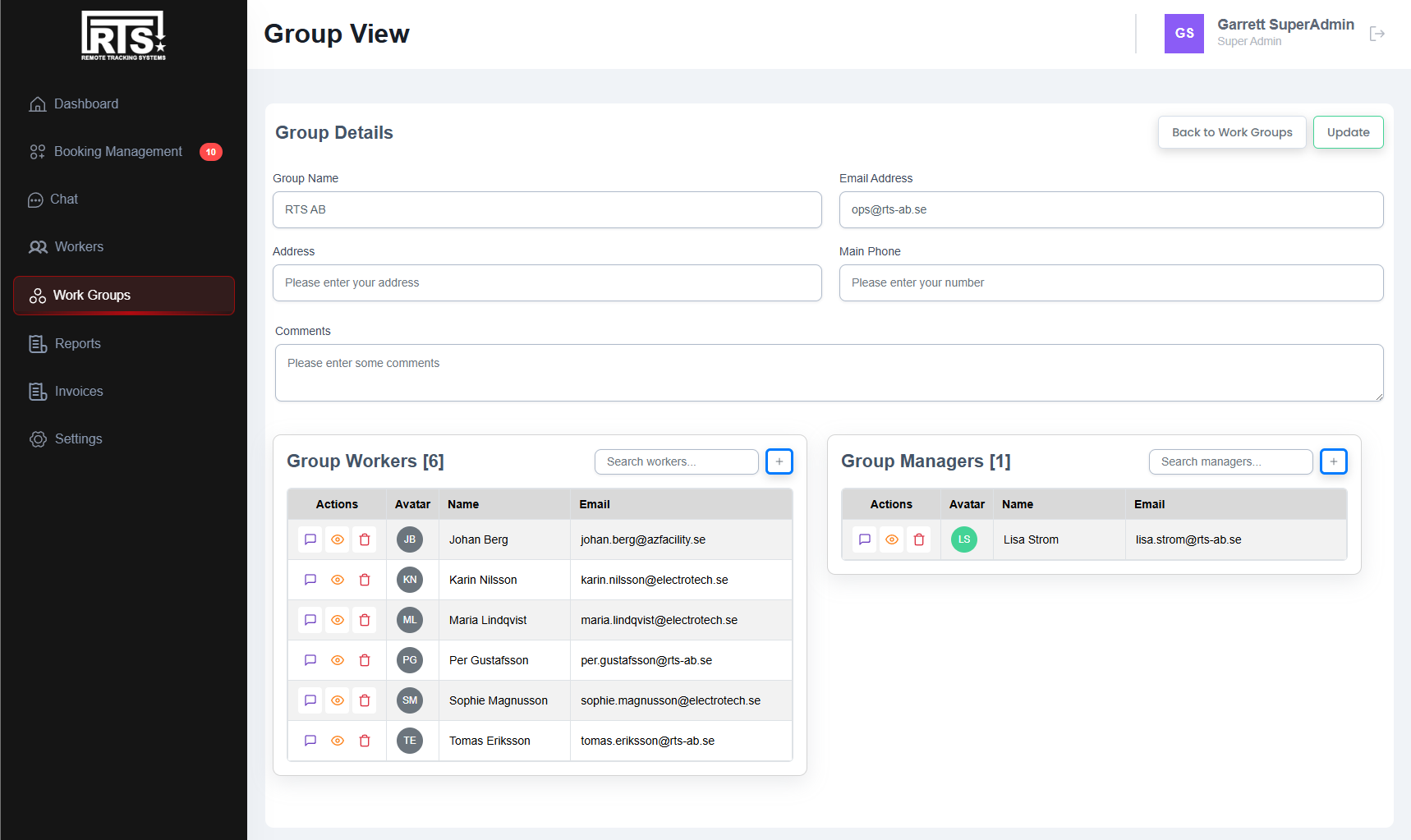
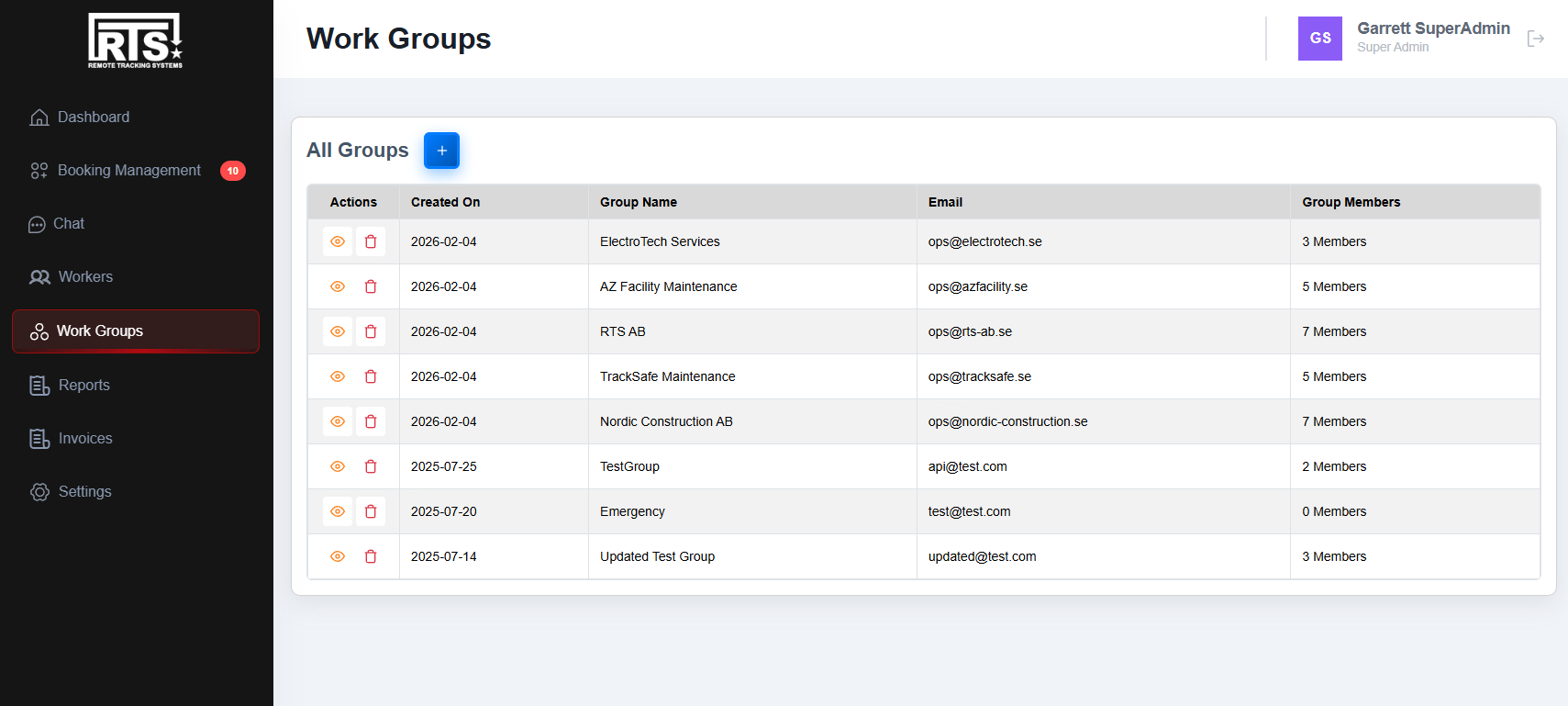
- Team organization: Create groups for departments, shifts, contractors, or project teams
- Manager assignment: Designate group managers with appropriate permissions
- Member management: Add, remove, and transfer workers between groups
- Group-scoped views: Managers see only their group's bookings and personnel
Role-Based Access Control
TMP implements a hierarchical permission system that ensures users see only what they need - and can only act on what they're authorized to manage. Each role has clearly defined capabilities and scope.
Super Administrator
Full system access across all sites and deployments. Can manage sites, create administrators, configure system settings, and access cross-site analytics and reporting.
Site Manager
Complete control over a single site. Can approve bookings, manage all groups and workers within the site, view site-wide analytics, and configure site-specific settings.
Group Manager
Manages assigned work groups within a site. Can view and manage workers in their groups, see group bookings, and coordinate team activities without access to other groups' data.
Worker
Standard user access for field personnel. Can submit booking requests, view their own scheduled reservations, update their profile, and receive notifications about booking status changes.
Seamless vMonitor Integration
TMP doesn't operate in isolation - it's tightly integrated with the vMonitor geospatial platform. Approved bookings automatically appear in vMonitor with proper track assignments, driver associations, and time windows. Changes sync in real-time between systems.
Explore vMonitor PlatformBuilt For Complex Operations
TMP scales from small single-site deployments to enterprise installations with multiple sites, hundreds of workers, and thousands of bookings. The same workflow and permission model works across industries.
Automotive Proving Grounds
Coordinate test vehicle reservations across multiple tracks and facilities. Manage contractor access, track utilization metrics, and maintain safety compliance records.
Aviation Ground Operations
Schedule ground support equipment, manage airside access permissions, and track personnel certifications for secure airport operations.
Seaport Terminal Management
Coordinate cargo handling schedules, manage terminal access for trucking companies, and maintain visibility across shifting operational demands.
Security & Critical Infrastructure
Manage patrol schedules, coordinate access to restricted zones, and maintain audit trails for personnel movements across secure facilities.
Ready to streamline your operations?
Contact us to learn how the Task Management Portal can bring order to your tracking operations.
Contact Us