
Contractor Tracking
Live contractor location, work-area accountability, and defensible access records
Who is on site right now is a harder question than it should be
Contractor populations on industrial, port, airport, and energy sites change every shift. Who is on site right now, in which work area, on whose contract, with what certifications: without that picture, contractor management is a spreadsheet and a gate log, not a control system.
The gap shows up in audits and incident reviews the same way. When a security assessment or an investigation asks who was where, a paper sign-in sheet is not a defensible answer.
Gate logs, not live location
A sign-in sheet says who entered. It says nothing about where they are now, or where they have been since.
Wrong-area access
Without live tracking, a contractor working outside their assigned zone is invisible until the auditor finds the gap.
Compliance exposure
Site safety reviews and security assessments want defensible records of who was where. Paper does not produce them.
What RTS Provides
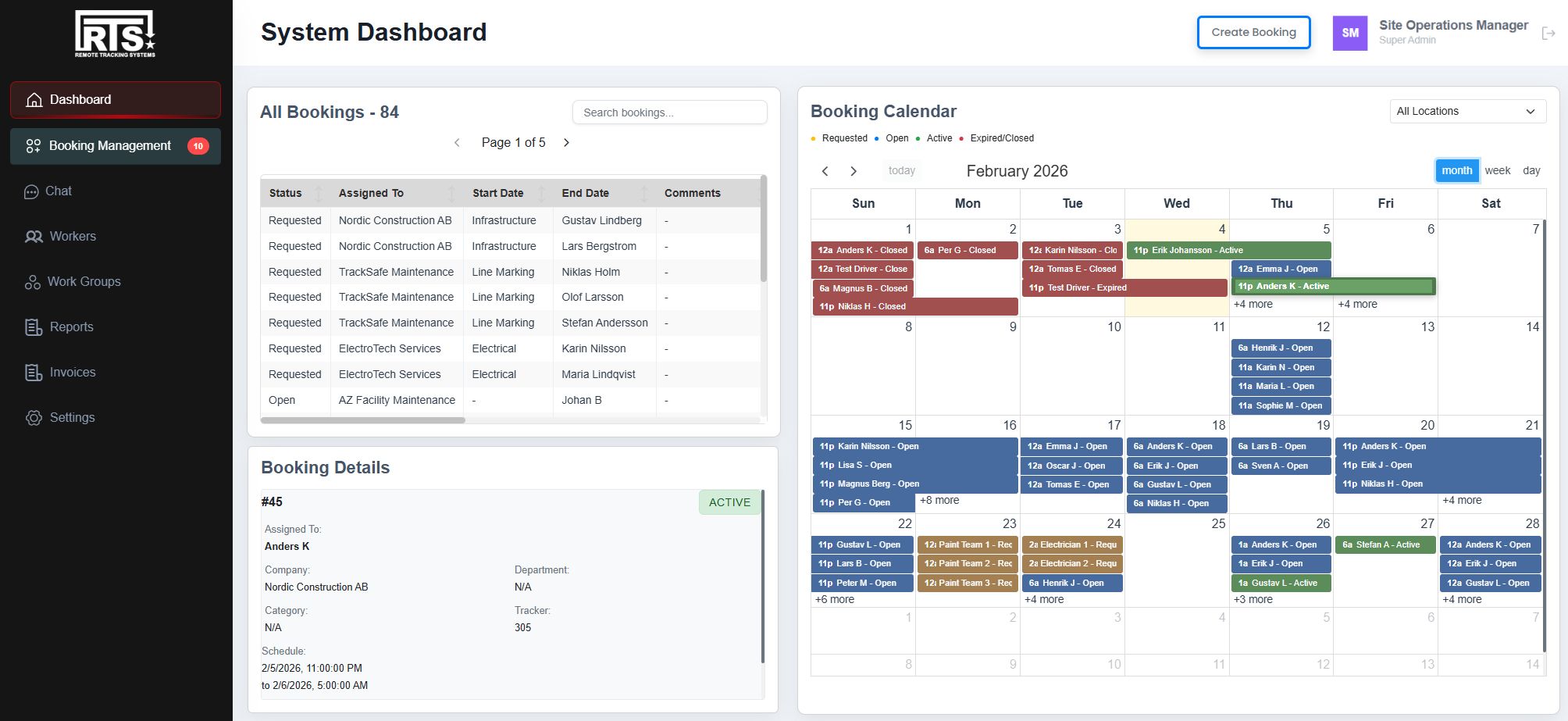
A full platform deployment: vMonitor as the alerting engine and user interface, with the mobile app and issued trackers on the contractor population.
RTS Trackers
In-Vehicle Tablet (IVT)
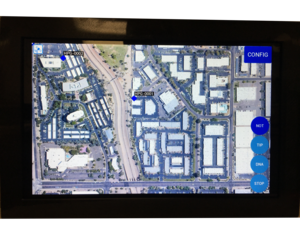
Driver display in the cab. The alert triggers where the driver can see and hear it, at the same moment the operations center does.
Vehicle Tracking Unit (VTU)
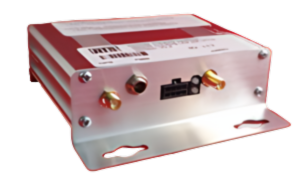
Fleet tracker with alerting LEDs and buzzer. Adds a CAN/J1939 interface for fault codes, fuel levels, and diagnostics.
Personnel Tracking Unit (PTU)
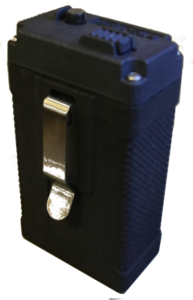
Compact tracker for people on foot, with SOS button, vibration, and buzzer alerting.
Mobile Tracking Application
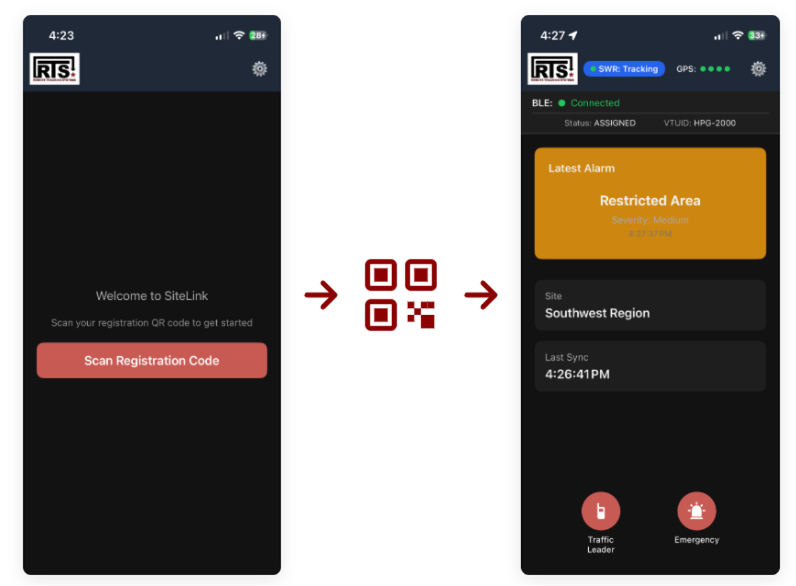
Phone-based tracking with QR code onboarding. Pairs with a vehicle's tracker over Bluetooth, and falls back to the phone's own GPS on foot.
vMonitor · Alerting Engine + User Interface
RTS Trackers
In-Vehicle Tablet (IVT)
Driver display in the cab. The alert triggers where the driver can see and hear it, at the same moment the operations center does.
Vehicle Tracking Unit (VTU)
Fleet tracker with alerting LEDs and buzzer. Adds a CAN/J1939 interface for fault codes, fuel levels, and diagnostics.
Personnel Tracking Unit (PTU)
Compact tracker for people on foot, with SOS button, vibration, and buzzer alerting.
Mobile Tracking Application
Phone-based tracking with QR code onboarding. Pairs with a vehicle's tracker over Bluetooth, and falls back to the phone's own GPS on foot.
vMonitor · Alerting Engine + User Interface
How RTS Solves It
Every contractor checks in at the gate, appears live on the map during the workday, and leaves behind a complete record of entries, exits, and work areas.
Per-contractor visibility
Each contractor is tracked individually, with company affiliation, work-area assignment, and certification status visible to the operator.
Gate onboarding
An issued tracker or a QR scan into the mobile app puts a contractor on the map at check-in.
Work-area rules that alert
Zone rules per contractor category trigger an alert the moment someone works outside their assigned area.
Defensible reporting
Every entry, exit, and zone crossing is logged with company and work area, exportable for site safety and contractor management documentation.
Where This Applies
RTS deploys as a standalone platform or integrates into your existing systems. The same solution scales across sectors, adapting to your infrastructure, regulatory environment, and operational requirements.
- Seaports: Stevedoring crews, maintenance teams, and project contractors are tracked across MTSA / ISPS-regulated terminals, with entry, exit, and zone records exportable for security assessments.
- Airports: Airside contractors during runway maintenance windows and construction projects are tracked in real time, with a position record for every vehicle and crew.
- Secure Sites: Rotating contractor populations at critical infrastructure sites are tracked by company and work area, with defensible access records produced automatically.
Solve Contractor Tracking on your site
Talk to our team about your environment, fleet, and constraints. We will scope a working solution with you.
Contact Us