
Driver Safety & Traffic Management
Speed, direction, and track access alerting for facilities that run scheduled vehicle operations
Facility rules live in briefings and radio calls once vehicles are moving
A facility that schedules vehicle operations, test tracks, controlled campuses, shared surfaces, briefs every driver on the rules: which surfaces they are cleared for, which speeds apply, which direction traffic runs. Once the vehicle is moving, nothing on board carries those rules with it.
So a speed violation is found out after the fact, if at all. A vehicle on a surface it was never scheduled for is noticed when someone sees it. And when two programs end up in the same corner, the review comes down to statements, because only the schedule was written down.
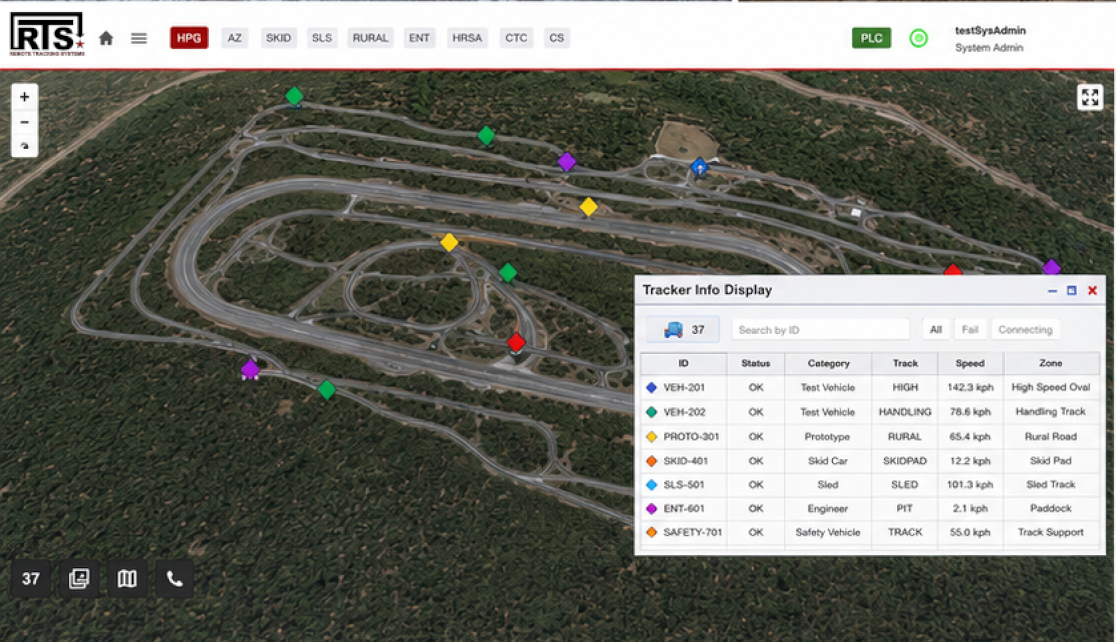
RTS puts the rules on the vehicle: speed, direction, and access alarms that trigger for the driver and the operations desk at the same moment, with every position recorded.
Speed rules without feedback
A driver over the limit for that surface finds out in the debrief, if the violation is caught at all.
Access on trust
A vehicle entering a surface it is not scheduled for goes unnoticed until someone happens to see it there.
Reviews without data
Scheduling disputes and incident reviews come down to statements when no independent position record exists.
What RTS Provides
A full platform deployment: vMonitor as the alerting engine and user interface, with RTS hardware in every vehicle.
RTS Trackers
In-Vehicle Tablet (IVT)
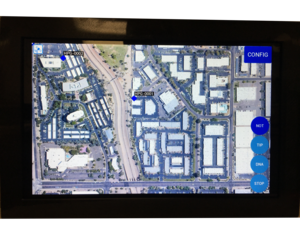
Driver display in the cab. The alert triggers where the driver can see and hear it, at the same moment the operations center does.
Vehicle Tracking Unit (VTU)
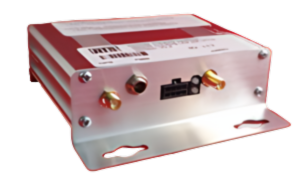
Fleet tracker with alerting LEDs and buzzer. Adds a CAN/J1939 interface for fault codes, fuel levels, and diagnostics.
Personnel Tracking Unit (PTU)
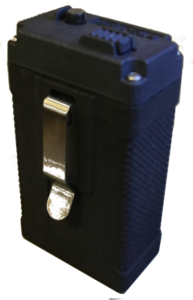
Compact tracker for people on foot, with SOS button, vibration, and buzzer alerting.
Mobile Tracking Application
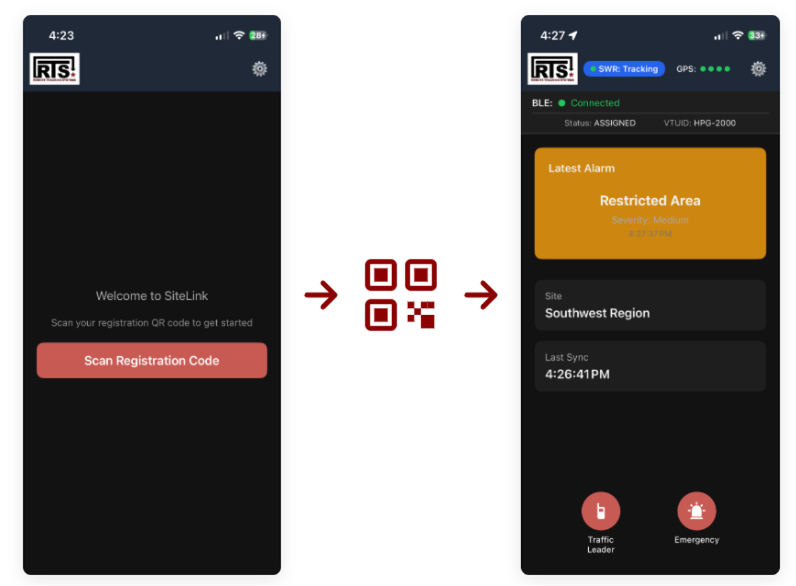
Phone-based tracking with QR code onboarding. Pairs with a vehicle's tracker over Bluetooth, and falls back to the phone's own GPS on foot.
vMonitor · Alerting Engine + User Interface
RTS Trackers
In-Vehicle Tablet (IVT)
Driver display in the cab. The alert triggers where the driver can see and hear it, at the same moment the operations center does.
Vehicle Tracking Unit (VTU)
Fleet tracker with alerting LEDs and buzzer. Adds a CAN/J1939 interface for fault codes, fuel levels, and diagnostics.
Personnel Tracking Unit (PTU)
Compact tracker for people on foot, with SOS button, vibration, and buzzer alerting.
Mobile Tracking Application
Phone-based tracking with QR code onboarding. Pairs with a vehicle's tracker over Bluetooth, and falls back to the phone's own GPS on foot.
vMonitor · Alerting Engine + User Interface
How RTS Solves It
Speed and direction rules per surface
Speed limits, wrong-direction rules, and restricted zones are set per surface. A violation alerts the driver in the vehicle and the operations desk at the same moment.
Access alarms tied to the schedule
Vehicles are tied to their scheduled surfaces through task management. A vehicle entering a surface it is not scheduled on triggers an alarm on both ends.
Driver behavior alerting
Accelerometer-based detection flags harsh braking, harsh acceleration, and rough driving, per vehicle and per driver.
Utilization and Incident Replay
Every position is recorded, so the facility can report actual surface utilization, settle scheduling disputes, and reconstruct any conflict.
Where This Applies
RTS deploys as a standalone platform or integrates into your existing systems. The same solution scales across sectors, adapting to your infrastructure, regulatory environment, and operational requirements.
- Automotive Proving Grounds: Concurrent test programs share one network of tracks. Speed, direction, and access rules per track keep programs separated, and utilization reports come from recorded positions.
Solve Driver Safety & Traffic Management on your site
Talk to our team about your environment, fleet, and constraints. We will scope a working solution with you.
Contact Us